

Help Centre / API and MCP
Does overads have an API and an MCP server?
Included in Growth, the one overads plan. API keys, webhooks and the MCP server are part of the plan.
Yes. overads has a REST API and an MCP server, both included in Growth. One key works for both.
| What | Where |
|---|---|
| REST API | https://api.overads.io/public/v1 |
| MCP server | https://api.overads.io/public/v1/mcp |
| OpenAPI document | https://api.overads.io/public/v1/openapi.json |
| Create a key | Settings > API (the API keys and MCP page) |
| Reference | Developer docs |
What it covers
- Posts: create, schedule, edit, cancel and publish, to one channel or several. See Posts.
- Media: by public URL or by upload. See Media.
- Connections: list the connected social accounts and whether each still works. See Connections.
- Workflows: list them, run one, read how the run went. See Workflows over the API.
- Ad results: accounts, totals and results by day. See Analytics.
- Webhooks: be told when a post is published, fails or needs approval. See Webhooks.
- Client workspaces, for agencies: create one per client and post for them. See Managed workspaces.
Create an API key
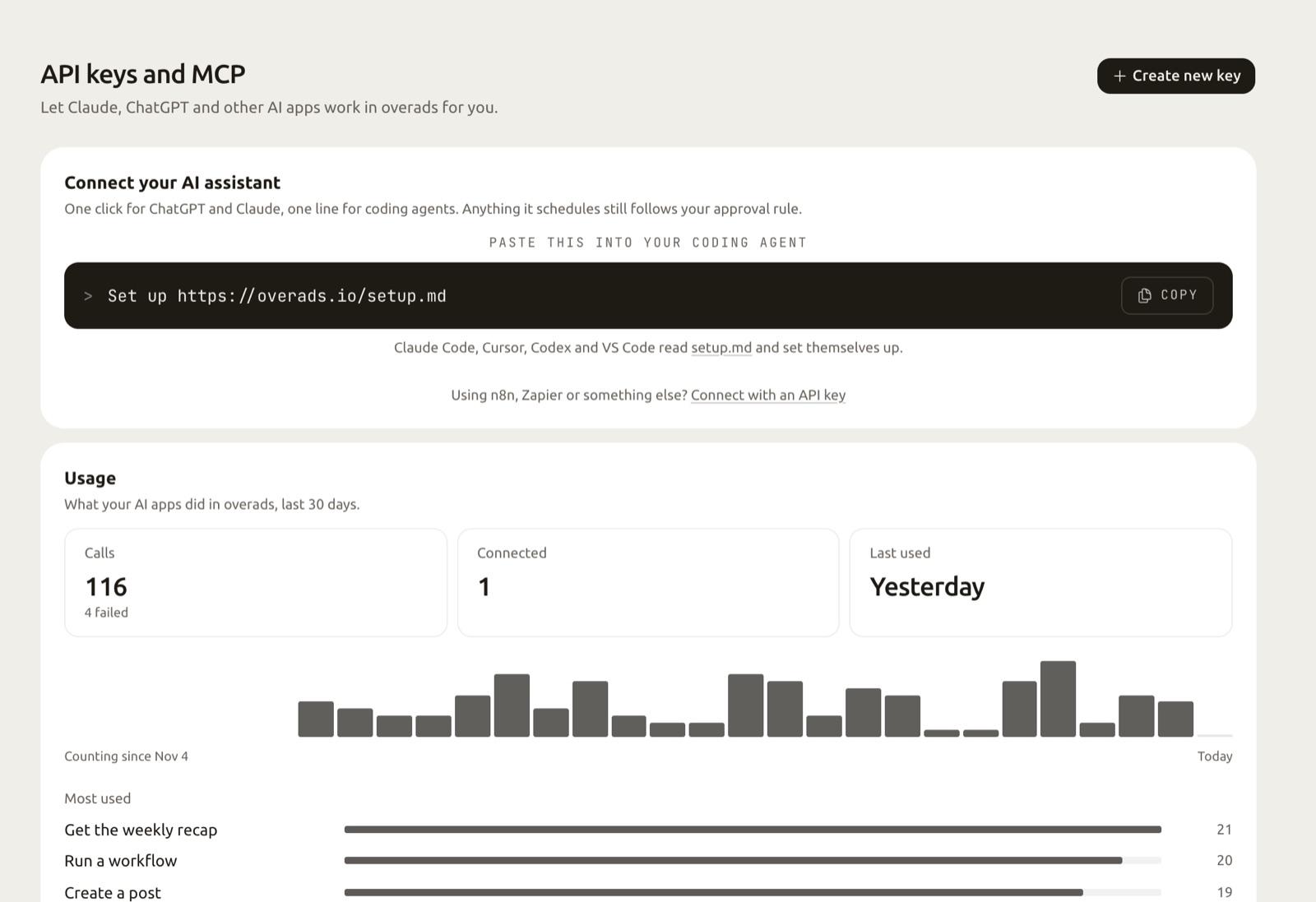
- Open Settings > API. The page is titled API keys and MCP. Only owners and admins can open it.
- Press Create new key.
- Name the key, for example Production server.
- Choose what it may do. Every permission is ticked to start with; untick what the key should not do.
- Choose when it stops working: Never, 30 days, 90 days or 1 year.
- Press Create key and copy the secret. This is the only time you will see it. overads does not store the key in plain text, so a lost key is replaced, not recovered.
| Permission | Scope |
|---|---|
| Read posts | posts:read |
| Write posts | posts:write |
| Read connections | connections:read |
| Upload media | media:write |
| Read analytics | analytics:read |
| Run workflows | workflows:run |
| Manage webhooks | webhooks:manage |
| Manage workspaces | workspaces:manage |
A call that needs a permission the key lacks is refused with SCOPE_MISSING. After its expiry date a key is refused, and there is no refresh: make a new key.
Stopping a key
The Connected list on the same page shows every app and key that can reach the workspace. Revoke a key and requests using it start failing immediately. Delete removes the key and its record for good; if the key may still be in use, revoke it. The Usage group shows calls over the last 30 days and when each key was last used.
Rules every call follows
- Approvals apply. When the workspace requires approval, a post made over the API lands as pending and does not publish until a member approves it in the app.
- Writes are safe to retry. Every write accepts an
Idempotency-Key; the same key with the same body replays the first result. - Rate limits are per workspace and shared between the API and the MCP server. See Rate limits.
- A reading that was not taken comes back as null, never as zero.
- A paused workspace, one with no plan, cannot create a key or make calls.
Webhooks
Add an endpoint in Settings > Webhooks: a name, an https URL and the events to send. The signing secret is shown once. There are 10 events, among them post.published, post.failed and post.approval_required. A delivery is tried three times; an endpoint that keeps failing is paused and the workspace is told.
To plug it into an assistant, see use overads from ChatGPT, Claude or n8n.
A worked example: Brew & Bloom
Brew & Bloom keeps its weekly specials in its own system and wants each one scheduled without anyone opening overads.
- An admin opens Settings > API, presses Create new key, names it Specials script, leaves Read connections and Write posts ticked, unticks the rest, sets it to stop after 1 year, and copies the secret.
- The script lists the connected accounts and keeps the id of the Instagram account and the LinkedIn Page.
- Each Thursday it creates a post with those ids, the text, a picture by URL and a time on Friday morning.
- Brew & Bloom has Require approval on. The call succeeds, the post lands as pending, and the answer carries a warning that it will not publish until a member approves it in the app.
- The owner approves it in Publish > Needs approval. It goes out on Friday.
- A webhook endpoint the admin added in Settings > Webhooks receives one event for each account the post reached.
curl https://api.overads.io/public/v1/connections \
  -H "Authorization: Bearer sk_live_YOUR_KEY"
The first post, with the body for each call in curl, Node and Python, is in Getting started.
When a call is refused
| Answer | Why | Fix |
|---|---|---|
| 401 | The key is missing, wrong, revoked or past its expiry date. | Send a valid key in the Authorization header, or create a new one. |
| 402 | The workspace is paused, or the plan does not include the feature. | An owner or an admin chooses a plan. |
403, with SCOPE_MISSING | The key lacks the permission that call needs. | Create a key with that permission ticked. |
409, with APPROVAL_REQUIRED | Publishing a post that is still waiting for approval. | A member approves it in the app. |
| 429 | The workspace's rate limit for the minute or the day is used up. | Wait for the number of seconds the answer gives, then retry. |
Every error carries a stable code. The full list, with what to do about each, is on Errors.
Webhook endpoints, in the app
| State or action | Meaning |
|---|---|
| Active | Events are being sent. |
| Paused after failures | The endpoint kept failing and was paused. The workspace is told. |
| Paused | Someone paused it by hand. |
| Test | Sends a test event to the endpoint. |
| Rotate secret | Replaces the signing secret. |
| Deliveries | The last 50 deliveries, each as Delivered, Queued, Retrying or Failed. |
An endpoint must be an https address. Private, link-local and localhost addresses are refused. The receiver has 10 seconds to answer. A failed delivery is tried again after 10 seconds and again after 1 minute, and an endpoint is paused after 20 failures in a row. Only owners and admins can view or manage endpoints.
The API or the MCP server: which to use
| You are building | Use |
|---|---|
| A script, a backend job or an integration with fixed steps | The REST API. |
| An AI assistant or agent that decides what to do | The MCP server, which offers the same actions as tools. |
| A no-code scenario in n8n, Make or Zapier | The REST API through the tool's HTTP step, or the MCP server for its AI agent step. |
| Something that reacts when a post lands | Webhooks, with either of the above. |
Common questions
Which plan includes the API?
Growth, the one plan overads sells. API keys, webhooks and the MCP server are part of it.
Can I see an API key again after creating it?
No. The secret is shown once. If you lose it, revoke the key and create a new one.
Can the API publish a post that needs approval?
No. There is no API call that approves a post, and publishing a pending post is refused with APPROVAL_REQUIRED.
Who can create API keys?
Owners and admins of the workspace. Other roles see a note saying so.
Is there an OpenAPI document?
Yes, at https://api.overads.io/public/v1/openapi.json, with no key needed.