

Campaign budget vs ad set budget in Meta ads: which one to use
Meta offers three ways to budget a campaign: Advantage+ campaign budget, ad set budgets and ad set budget sharing. What each controls, the spend ceilings Meta sets, when to switch, and what a switch resets.
TL;DR
- Campaign budget vs ad set budget in Meta ads: a campaign budget lets Meta move one budget between ad sets; ad set budgets fix what each ad set spends. Meta suggests the first when every ad set is worth the same, and the second when you need control per ad set.
- A third option, ad set budget sharing, keeps a budget on each ad set but lets up to 20% of each daily budget move to other ad sets in the campaign. It works with daily budgets only and cannot be combined with a campaign budget.
- Daily budgets flex either way: Meta may spend up to 175% of a daily budget in one day, never more than 7 times it in a week, and up to 210% a day with budget sharing on.
- Switching has limits: wait at least 2 hours between turning campaign budget on and off, and past 70 ad sets it cannot be turned off at all. A large budget change can restart learning in several ad sets at once.
- overads changes a Meta budget at whichever level holds it, after a person confirms. It does not switch between the two set-ups, set spend limits or turn budget sharing on.
What campaign budgets and ad set budgets control in Meta ads
A Meta campaign budget and an ad set budget differ in who decides how money is split between ad sets. Meta's page on campaign budgets and ad set budgets lists three choices at campaign creation: Advantage+ campaign budget, ad set budgets, and ad set budget sharing.
With Advantage+ campaign budget, you set one budget on the campaign. Meta says it distributes that budget in real time to the ad sets with the best opportunities. Meta's pages also call it campaign budget, or budget with Advantage+ on. Advertisers often call it CBO, and ad set budgets ABO; the Meta pages cited here do not use those names.
With ad set budgets, each ad set has its own amount. Meta says an ad set budget can be spent as soon as delivery opportunities appear for that ad set, while a campaign budget is spent across the whole campaign.
Either budget can be daily or lifetime. A daily budget is an average per day over a Sunday to Saturday week; a lifetime budget covers the whole run, and a lifetime budget lets ads run on a schedule.
| Question | Advantage+ campaign budget | Ad set budgets | Ad set budget sharing |
|---|---|---|---|
| Where the budget sits | Campaign | Each ad set | Each ad set |
| Who splits spend between ad sets | Meta, in real time | You | You, with up to 20% of each daily budget moved by Meta |
| Daily or lifetime | Either | Either | Daily only |
| Bid strategy | One for all ad sets | Can differ per ad set | Must be the same across ad sets |
| Per ad set control | Optional minimum and maximum spend limits | The ad set's own budget | The ad set's own budget |
| Where to read results | Campaign level, Meta says | Ad set level | Not stated by Meta |
| Meta's suggested fit | Ad sets of equal value; results measured per campaign | Control per ad set; mixed goals, bids or audience sizes | Tight control per ad set with some flexibility |
How Advantage+ campaign budget spreads spend
Advantage+ campaign budget spends more on ad sets with better opportunities and less on weaker ones. Meta's page about Advantage+ campaign budget says it may not spend equally across ad sets: with two ad sets, most of the budget can go to one of them.
Meta therefore says to judge the campaign as a whole. Its best practices page asks you to read the total optimisation events and the average cost per optimisation event at the campaign level, not ad set by ad set.
The same best practices page gives these rules:
- Keep to 70 ad sets or fewer per campaign.
- Add new ad sets in bulk: each new active ad set can take about two hours for the budget to re-adjust.
- Do not pause and unpause ad sets by hand, or pause ad sets with low delivery. A paused ad set leaves the budget to the others, and there may be none left when it restarts.
- Expect the largest audiences to receive the most budget when audience sizes differ a lot.
- Make campaign changes in bulk, so learning restarts fewer times.
Meta's set-up page says sales, leads and app promotion campaigns have Advantage+ campaign budget on by default. To use it, every ad set needs the same budget type, the same bid strategy and standard delivery, plus the same optimisation event when the bid strategy is highest volume.
Ad set minimum and maximum spend limits
Ad set spend limits are a minimum and a maximum amount for one ad set inside a campaign that uses Advantage+ campaign budget. Meta's page on choosing a budget says they suit an ad set with a specific budget requirement.
The Marketing API's Advantage Campaign Budget guide names four fields. A daily minimum and a daily cap need a daily campaign budget; a lifetime minimum and a lifetime cap need a lifetime campaign budget. Meta calls the minimum a best effort, not a guarantee.
Meta advises using spend limits sparingly or not at all. Its best practices page says that the more budget is locked into ad sets, the less room the system has. With a cost or bid control as well, an ad set can under-deliver or not deliver. Meta's suggestion for strict per ad set requirements is ad set budgets instead.
A change to a spend limit amount may or may not restart the learning phase, depending on its size, according to Meta's significant edits page.
How much a Meta daily budget can spend in a day and a week
A Meta daily budget can spend up to 175% of its amount on one day and up to 7 times it in a Sunday to Saturday week. Meta's page about daily budgets applies this to a daily campaign budget and a daily ad set budget alike.
| Set-up | Most in one day | Most in one week |
|---|---|---|
| Daily budget, campaign or ad set | USD 175 | USD 700 |
| Daily ad set budget with budget sharing on | USD 210 | USD 840 |
A budget that starts or changes mid-week is prorated for the rest of the week, with a margin of up to 25% of the daily budget, the same page says.
Meta's developer documentation does not agree with itself here. The Marketing API's Budgets overview still says up to 25% more than a daily budget may be spent. The API's Ad Set Budget Sharing guide uses the 75% figure that the Help Centre gives. This guide follows the Help Centre.
When ad set budgets are the better choice
Ad set budgets are the better Meta choice when ad sets are not worth the same to you. Meta's page on choosing a budget lists four reasons to pick them:
- You want to control the amount spent on each ad set.
- The value of ad sets differs a lot, and manual bidding cannot express it.
- Audience sizes differ a lot between ad sets.
- The ad sets use mixed optimisation goals or bid strategies.
The third reason links to Meta's own warning: under a campaign budget, the largest audiences usually take the most budget.
Advantage+ campaign budget fits the opposite case, by Meta's list: ad sets of equal value, results judged per campaign, and fewer budgets to manage.
Ad set budget sharing sits between the two. Meta's page says it suits an advertiser who needs tight control per ad set but wants some budget to follow the best opportunities. The budget sharing guide adds that it applies only to campaigns without a campaign budget, only to daily budgets, and only with one bid strategy across the ad sets.
Switching between campaign and ad set budgets, and what it resets
Switching a Meta campaign between campaign and ad set budgets has three limits. Meta's set-up page and its page on campaigns with 70+ ad sets give them:
| Situation | What Meta allows |
|---|---|
| Advantage+ campaign budget switched less than 2 hours ago | No switch; pause the campaign and create a new one with ad set budgets |
| Campaign budget on, more than 70 ad sets | Cannot turn it off or edit the campaign bid strategy; duplicate the campaign instead |
| Campaign budget off, more than 70 ad sets | Cannot turn it on until the campaign has fewer than 70 ad sets |
| Campaign budget on, 200 ad sets | No more ad sets can be added or duplicated in |
| Ad set budget sharing on | Can be turned off mid-flight |
| Ad set budget sharing off | Cannot be turned on mid-flight, by the API guide |
Meta counts active and inactive ad sets toward the 70 and the 200. Duplicating a campaign to change these settings may send it into the learning phase, the 70+ page says.
On learning, Meta's significant edits page draws these lines for campaigns on Advantage+ campaign budget:
- Meta moving budget between ad sets does not restart learning.
- Adding a new ad set does not restart the others.
- A significant edit to one ad set does not restart the others.
- Changing the campaign budget, or the campaign bid strategy, might restart learning in several ad sets at once.
A budget change counts only when it is large. Meta's example: USD 100 to USD 101 is not likely to restart learning, while USD 100 to USD 1,000 may. The learning phase itself is covered in the guide to the Meta ads learning phase.
Changing a Meta budget from overads
overads changes the budget of a Meta campaign or ad set, whichever level holds it, after a person confirms the change. This section is read from the overads code as it stood on November 26, 2026.
Meta and Google ad changes run after you approve them; X and Snapchat connect read-only, so overads proposes and a person applies. On Meta that covers pausing and resuming campaigns, ad sets and ads, budget changes, launching ads and audiences, and automation rules; on Google, pausing and resuming a campaign and changing its daily budget. Each change is confirmed by a person first.
| Change from overads | What happens on Meta |
|---|---|
| A new daily budget typed on a campaign or an ad set | Sent to that campaign or ad set; overads does not check first which level holds the budget, so Meta's answer decides |
| A budget raised or lowered by a percentage, from an automation rule | Reads the current daily or lifetime budget and moves it; refuses when that level holds no budget, for example an ad set under a campaign budget |
| Launching a new ad | Creates a paused campaign with the budget on the ad set and budget sharing off |
| Pausing an ad set inside a campaign budget | Allowed; Meta's best practices advise against pausing ad sets under a campaign budget |
The launcher turns budget sharing off on purpose. Sharing would let Meta move money between ad sets the customer did not ask overads to touch, so the choice is left to Ads Manager.
Where overads fits
overads fits a team that reads Meta campaigns next to its other ad accounts and wants each budget change to wait for a person. It does not replace Meta Ads Manager for choosing a budget set-up.
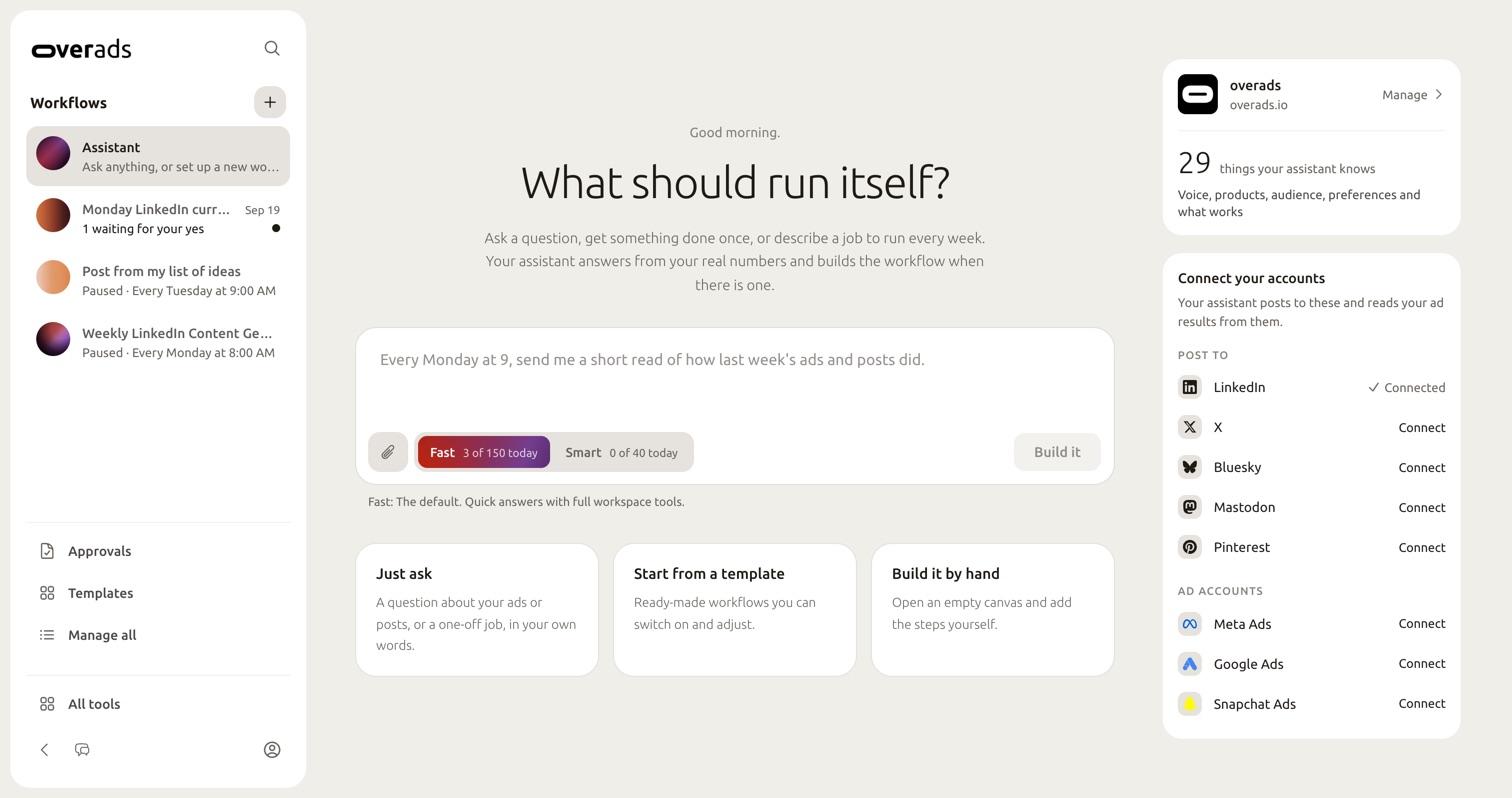
What overads does not do, read from the code on November 26, 2026:
- It does not switch Advantage+ campaign budget on or off.
- It does not set ad set minimum or maximum spend limits.
- It does not turn ad set budget sharing on; campaigns it launches start with sharing off.
- It does not warn that a budget change is large enough to restart learning.
When another route fits better: an advertiser who wants Meta to pick the budget split, or wants spend limits, sets them in Ads Manager. Tools that automate Meta budgets further are compared in overads vs Madgicx. For teams, the Meta ads for DTC operators page and the Meta ads reporting for agencies page describe what overads reads from Meta. When ad sets slow down after weeks of steady delivery, the cause may be creative fatigue rather than the budget.
Frequently asked questions
Are CBO and ABO the same as Meta's campaign and ad set budgets?
Yes, by common usage. CBO (campaign budget optimisation) and ABO (ad set budget optimisation) are names advertisers use; Meta's current pages call them Advantage+ campaign budget, also known as campaign budget or budget with Advantage+ on, and ad set budgets.
Can I set a budget on both the campaign and its ad sets?
Not as two budgets. With Advantage+ campaign budget the budget sits on the campaign, and an ad set can only carry a minimum or maximum spend limit inside it. Budget sharing, the in-between option, keeps the budgets on the ad sets.
Which Meta documentation is right about daily overspend, 25% or 75%?
The Help Centre page about daily budgets, which says up to 75% over in a day and 175% at most, matches the Marketing API's own budget sharing guide. The Marketing API's Budgets overview still says 25%; on November 26, 2026 the two had not been reconciled.
Sources
- About Advantage+ campaign budget. Meta Business Help Centre. Accessed Nov 26, 2026.
- About campaign budgets and ad set budgets. Meta Business Help Centre. Accessed Nov 26, 2026.
- Set up Advantage+ campaign budget. Meta Business Help Centre. Accessed Nov 26, 2026.
- Best practices for Advantage+ campaign budget. Meta Business Help Centre. Accessed Nov 26, 2026.
- About using Meta Advantage+ campaign budget for campaigns with 70+ ad sets. Meta Business Help Centre. Accessed Nov 26, 2026.
- About daily budgets. Meta Business Help Centre. Accessed Nov 26, 2026.
- Significant edits and learning phase. Meta Business Help Centre. Accessed Nov 26, 2026.
- Advantage Campaign Budget. Meta for Developers, Marketing API. Accessed Nov 26, 2026.
- Ad Set Budget Sharing. Meta for Developers, Marketing API. Accessed Nov 26, 2026.
- Budgets. Meta for Developers, Marketing API. Accessed Nov 26, 2026.
Drafted with AI assistance, then checked against primary sources and the product itself by the overads team.
Keep reading
Paid media · 10 min read
Meta ads learning phase: what it is, how long it lasts and what resets it
Meta ad sets usually leave the learning phase after about 50 results in the week after their last significant edit. What Learning limited means, which edits restart learning, and how to group ad sets.
Paid media · 13 min read
Meta ads creative fatigue: how to spot it and what Meta's statuses mean
Meta flags a worn-out creative as Creative limited or Creative fatigue, split at twice your past cost per result, and only on ad sets with one creative. What the statuses mean, the signals to read without them, and what a refresh costs.
Paid media · 13 min read
ads_management vs ads_read: why many ad tools can read your campaigns but not change them
ads_read lets a tool report on Meta ad accounts; ads_management lets it change them. One app declined on July 28 and approved on November 2, 2026, what changed between, what the permission lets a tool do, and how to check your connection.
See every Meta budget next to your other ad accounts
Connect a Meta ad account to read campaigns and ad sets beside Google and your other channels. Where Meta changes are switched on, a budget change goes to Meta only after a person confirms it.
Get started